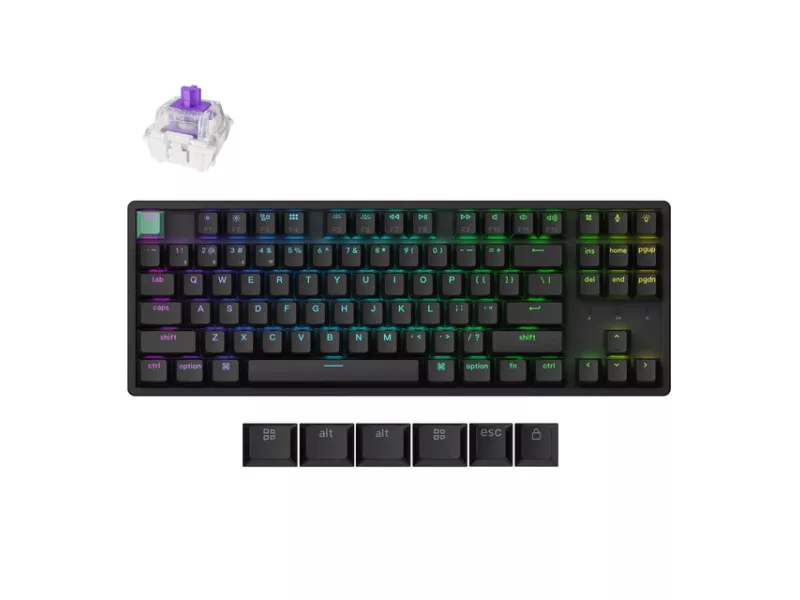
Layout: 80% TKL, ANSI
Connectivity: 2.4 GHz, Bluetooth (up to 3 devices), wired; 1000 Hz polling rate
Switches: Gateron Double-Rail Magnetic Nebula Switch; hot-swappable
Magnetic switch features: Rapid Trigger, adjustable actuation 0.2 – 3.8mm
Build: Aluminum, tray mount
Keycaps: Cherry Profile Double-shot keycaps, shine-through
Software: QMK firmware; Keychron Launcher web app for key remapping and macros; works with Windows, macOS, Linux
Battery: 4000 mAh, up to 110 hours
Backlight: North-facing RGB LED
Weight: Approx. 1185 g
Dimensions: 359.2 x 129.2 mm / Sepcial Edition: 363.2 x 129.2 mm
N-key rollover: Yes (wireless & wired)
The K8 HE is compatible exclusively with the Gateron Double-Rail Magnetic Switch. It does not support other magnetic switches, such as the Gateron Magnetic Jade or Gateron KS-20 Magnetic switches.
https://www.keychron.com/cdn/shop/files/K8-HE-Standard-Version-Black.jpg
SWITCHES
Super sensitive FAST RESPONSE
Gateron Double-Rail Magnetic Switches
Keychron K8 HE comes with pre-lubed Gateron double-rail magnetic switches and advanced TMR sensors for an ultra-stable and ultra-responsive typing experience with an industry leading, lightning-fast response time, and precise control over the way your keyboard feels and responds. Jump into action with unmatched smoothness and stability.
https://www.keychron.com/cdn/shop/files/Group_5761.svg
ADVANCED TMR SENSORS
Equipped with cutting-edge Tunneling Magnetoresistance (TMR) technology to detect precise distance and magnetic field variations through subtle resistance shifts. Every key features a dedicated TMR sensor for superior resolution, delivering pinpoint accuracy, ultra-low latency, and an unparalleled magnetic switch input experience.
Magnetic Field Sensitivity: up to 100 mV/V/Oe
Adjustable Actuation Point
Customize each key with precision, adjusting actuation points from 0.2 to 3.8 mm with 0.1 mm sensitivity. Set shallow keypresses for instant actions and deeper ones for deliberate engagement, minimizing accidental touches and giving you an edge in both gaming and typing.
Last Key Priority (LKP) & Snap Click
LKP allows seamless directional changes by prioritizing the last key pressed, ensuring smoother gameplay in titles like Valorant. With Snap Click, deeper keypresses take precedence when two keys are hit at once, automatically resetting shallower presses.
*They are disabled by default, but you can easily enable them in our Launcher web app when needed.
One Key. Multiple Actions
Thanks to Dynamic Keystrokes (DKS), you can now assign up to 4 distinct actions per key based on press depth. A light press moves your character, a deeper press makes them run, and releasing the key enables additional commands. This layered control lets you execute multiple moves with ease,
Dynamic Rapid Trigger
Activate or deactivate keys based on how far they travel, not predefined points. This means immediate key reactions—press to activate, release to